New technologies are a vital component of delivering enterprise learning in a way that is cost-effective and that results in measurable improvements in workforce and business performance.
 
There is no shortage of compelling technology-based learning approaches today, from e-learning to web-based seminars to podcasting to simulations. The challenge most organizations face, however, is in incorporating those specific technologies within an integrated and holistic infrastructure, in a way that makes sense both economically and from the standpoint of learning effectiveness. That’s not an easy job.

A comprehensive enterprise training / learning transformation recently executed by Gyrus Systems also included a transformation of the company’s technology infrastructure for learning. Its existing technology base was in a shape similar to many companies today: it was fragmented, with information distributed over hundreds of databases.  That situation raised distressing data integrity issues, and it also made it difficult to run centralized compliance reports or assess the value delivered from internal training. Managing any of the information centrally was time consuming and needed a great deal of manual support, so the learning infrastructure had also become very expensive.

The transformation path was to Use technology in the most effective way possible to provide exceptional learning experiences, track learning delivery and results, and provide the information needed to support effective decision making about how to steer the learning function in the long term. 


Some of the key deliverables for the projects were:

                1) Key requirements with metrics for success

                2) Team formation

                3) A comprehensive learning infrastructure – Gyrus’s On Demand cloud

                4) Product configuration based on key roles

                5) Implementation

                6) Training


The proper application of technology to Gyrus’s learning design and delivery capabilities has resulted in more timely and relevant support for the company’s different workforces across the industry. The training team can more effectively plan courses that meet business needs, in ways that also create compelling learning experiences for the company’s employees. Training delivered via e-learning or online seminars can be integrated into the holistic picture of career development and learning for the company. And executives can use reporting from the learning management system to make more informed decisions about helping employees work together toward the common goal of achieving high performance.

read more

If you’re reading this then we probably have something in common…we both know what SCORM is for. But just in case this term is new to you, let’s get start by getting that definition out of the way.

SCORM is an e-learning standard. It is the reason you can get your e-learning course from one vendor and still launch and track it from the LMS you got from a different vendor. SCORM allows the course and the LMS to be integrated with one another – to “talk” to each other.

That makes SCORM very important.

 It’s great when everything is working right. Students are successfully launching, consuming and completing courses and all of that activity is correctly recorded in the LMS . But it’s not so great when something goes wrong. And, sometimes the reason is because there is a problem with the SCORM set up. When your e-learning isn’t tracking right, your vendors can help you test the SCORM package to see if there is a problem. But what if there isn’t.

What if SCORM isn’t the problem?

You’re not out of luck. There are several other things you can check out. These things also play a key role in making your e-learning work right. Let’s review some of the more common culprits which can give you an e-learning headache.

  • Videos require a player (often “Flash”) to run. Over time, the player on your computer may have become outdated. Make sure yours is up to date.
  • The computer itself may be causing the difficulty. The easiest way to check this is to try launching the course from another computer.
  • The availability of bandwidth can never be ignored. Remember that this is a moving target. The speed with which your course is delivered to you is “subject to change”. These changes can be as simple as the time of day, moving to a different location, or other web applications “stealing” your bandwidth.
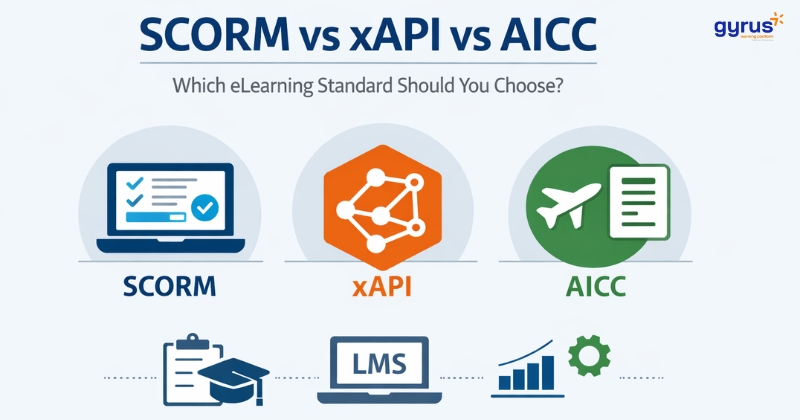
  • The course itself is a big factor. There are many variables affecting how a course will (or will not) run for you. Some contain video – others do not. Some are a very large electronic file – others are smaller. Some are SCORM version 1.2, others are SCORM 2004 or AICC. These and other factors can make a big difference on whether or not the course will run for you.


It can be frustrating when an e-learning course stubbornly refuses to work as expected. Not being sure what to check can only add to the frustration. Try these basic “tests” to run down the problem. Even if it turns out to be something else, at least you can quickly eliminate these “usual suspects” and move more swiftly to the correct resolution.

read more

 
Neatness counts!

We’ve been told this since elementary school. Our teachers taught us the harsh lesson that sloppiness has consequences. That “A” grade you expected on your Theme that slipped to a “B minus“ because you paid insufficient attention to your grammar and margins.

But when we use computers we are often tempted to toss the quality and accuracy of our data to the back seat in order to get our jobs done faster. Most of us are under pressure to be both organized and quick – and these are not always compatible pressures!

So, we need to strike a balance between these twin towers of pressure. And we should begin by taking a look at what brings them about in the first place.

Organization and accuracy are critical to the administration of your training and to the information that results from the training you provide. The pressure to manage who needs training, make it available, and then see that it all takes place can be an enormous challenge. The fact that the situation “on the ground” is changing daily only adds to the complexity.

As training takes place, the reliability of the resulting data is largely dependent on the quality of your upfront training administration. Effort must be taken to build a logical and easily understandable training system that fits your many needs. Small errors and inconsistencies tend to grow exponentially creating potentially major discrepancies calling your quality of the data and the value of your reports into question.

Quickness is the way business is done today. While there may be some discretion allowed in deciding just how fast to go, the pressure to move swiftly is none the less unavoidable. Being quick and efficient is not a bad thing…until it results in a bad outcome. In the training industry, the temptation is often to employ shortcuts and workarounds just to “get the training done” faster and keep students moving through the training content.

Not too long ago, the small “liberties” we took so that we could keep things moving seemed reasonable because usually only Training Department personnel were aware of them and we knew how to interpret or “filter out” the non-standard data. But this isn’t true today. With the browser based Learning Management Systems in use now, everyone has access to the data and they don’t know what is real and what was used just to keep the training moving quickly.

So, just like school days, neatness is no longer an option and we must find ways to create and manage neat, reliable data while maintaining a fast pace. And there is only one way to accomplish this and it’s called –

Discipline

There are things you can do to address your twin pressures and still achieve the desired outcome. You can come up with your own things, but to get you started, here are some time tested examples which will if employed with discipline serve you well:
• Establish and enforce standardized data and policies. For example if you offer a course in CPR, it is not okay for a hurried Training Coordinator to create a new “First Aid” course because she can’t remember the name of the original course and is in hurry to get the class on the calendar and the students registered.
• Avoid workarounds. If you are not sure how to use your LMS to meet a particular need, take the time to check it out. There may be a good way. Check first with your Help Desk, vendor, and colleagues to make sure the best plan is put in place.
• Create and use a “test” environment. It’s easier to set up “dummy” users and training in your live database to try out new training initiatives and user workflows. But even if your other users never see the data, the fact remains that your reports are now tainted with irrelevant data. With only a small effort, a “mirror” site can usually be set up where you can experiment without damaging the integrity of your live data.
• Assume “all eyes”. In other words, plan your system usage with the understanding that at some point almost everyone will see at least some of the information inside. For example, you may choose to enter all part time employee names in lower case characters and full time employee names in upper case characters so you can tell them apart. But to others using the LMS this may be confusing and seem cluttered. A properly designed Learning Management System will provide flexible, logical tools to aid you in organizing your data so that with planning it is clear to all users.
• Audit your system. Periodically, take time to browse through your data to make sure the results are exactly what you expect. Run reports on your training and your people. Check on screen information and history.
• Nip it in the bud. When you do find anomalies in your data avoid the temptation to deal with them later. Chances are they will continue to grow and only be harder to find and fix. When you feel rushed, see it as an opportunity to put some standards in place first so that you can maintain a quicker pace later.

Using these techniques and others of your own will take a little more time up front. It is tempting to avoid doing them because there are so many other tasks which need your attention. But in the long run, they will actually save you time. Potentially a great deal of time because we all know that an ounce of prevention is worth a pound of cure.

I’m sure your elementary school teacher taught you that.

read more


Let’s go back in time. Way back to the 1950’s and 60’s…. a simpler time. A time when the technology of media was basic and everything worked pretty much the same way. If you wanted to watch a television program your choices were three channels and one TV (yes, cathode ray tube) in the living room with an on/off switch and a rabbit ear antenna on the top.

Back then television was the new media; the hot cutting edge technology. And like any new technology how it worked was a mystery to the viewers. And when it didn’t work (which was often) – well that was a mystery too. But the technology was so basic that there were only two things the viewer could do to fix the TV when it didn’t work. The first thing to do was adjust that annoying rabbit ear antenna. And if that didn’t work, the next thing to do was to smack the top of the TV with your fist. :)

Fast forward.

Technology is a little more complex today. Viewers have myriad choices of what to watch and how to watch it – Youtube, streaming video, Skype, even old fashioned DVDs. They select from Laptop computers, cell phones, and I-pads to watch their selections. The options are literally unlimited.

And your E-learning is part of this large, rich mix. Somehow, through all of these choices and variables your E-learning has to find its mark – your viewer.

In the first two installments of this series, we described the delivery of E-learning as working like a garden hose. The spigot gets the water started, the hose moves the water from point “A” to point “B”, and the nozzle sprays it on your lawn. Your E-learning also has a start, middle, and end point and an interruption anywhere along the line can stop it in its tracks.

The three E-learning components are; where the content is stored (server), how it moves to the viewer (Internet or Intranet), and how it is viewed by the learner (computer or other device).

It may not be obvious that something is wrong when the E-learning stream is interrupted at the beginning with the servers. But when a course doesn’t work on the viewer’s end, there can be only one obvious conclusion – no show!

But, as we have seen, there are so many technology variables at the viewer’s end that simply smacking the computer (or whatever) on the top is unlikely to solve the problem. But the show must go on. So we must take a thorough look at the show stoppers confronting our viewers so we can correct the problem. Here are the most common things that can stop E-learning cold at the viewer’s end:

  • If the viewer is sitting at the end of an Internet or Intranet pipeline fast enough to deliver the E-learning content, it is still important that the device he is using has the memory and processing “horsepower” needed to run it. Help Desk personnel are a good resource if you are unsure whether or not the viewer’s hardware is capable of running the content. But be aware that sometimes the learner uses more than one device. For example, he may begin the course at home and resume it on another computer in his office.
  • There are many popular brands of Internet browsers easily available. Many learners are in the habit of using more than one. For example a learner may use the Company required browser at the office and a different browser at home. Browser security settings can vary from one to another and may be the reason why an E-learning course will run for one learner but not for another.
  • Internet Security is indeed our friend, but it can be a perplexing one at times. The most common place a user comes across it is their pop-up blocker. Most users are comfortable with how to use them. But, if a learner has not been on any new websites for some time, it may have been a while since it last popped up. So, when he launches a new course, he may not notice the blocker.
  • And lastly – never under estimate the importance of learner experience and capability. Your learners are experiencing a constant barrage of new and rapidly evolving technologies. For those new to the experience, even launching a simple text only E-learning course can present a challenge. And even your seasoned veterans are challenged to keep up with constantly changing situations. The courses, devices, and technologies they used last week may very well change by next week.


So, the key to making sure your learners actually get to view the course is to understand what might possibly be blocking them. That way when it happens, you’ll recognize it. And you’ll be able to help them out.

read more

Virtual Learning Organizations

On February 9th, 2011, posted in: GyrusAIM by admin

If you expect your people to multitask, why don’t you expect your organization to multitask also? Why bind yourself to a single organization structure?

You constantly group people in many different ways: by product lines, by job functions, by geography, by projects, by job grades, and by customers for example. Your learning management system (LMS) should provide the same flexibility.

Use the concept of Virtual Learning Organizations (VLO) to slice and dice your training in any way that you see fit. Compare training in east with training in the west; identify problems with management training; focus on product training for the new line being introduced next quarter; and create skill requirements for members of a new project, thus enhancing the staff members’ individual development plans.

With VLOs, you are not bound to install-time decisions for extracting useful information from your learning management system. Create VLOs on the fly, use them and destroy them without affecting any training activity; or create permanent VLOs for permanent and comparative reporting or skills management power.

With VLOs, specific organizational requirements can be cascaded throughout any organizational hierarchy and customized at any level.

GyrusAim, the learning management system by Gyrus, provides unlimited VLOs. Within each VLO, you have an unlimited number of organization units. You have an unlimited number of organization levels so that you can make your organizations as granular or as broad as you want.

read more

The key to competitiveness today is the company’s ability to manage and develop the knowledge and skills of their people. If David McClelland were alive today, he would be pleased to see remnants of his motivational needs theory as a recognized function of corporate HR, Training and Education departments. A pioneer in workplace motivational thinking, McClelland once argued that competency-based assessments and tests are better than traditional IQ and personality-based tests. He believed testing for competence is the best predictor for successful job performance. Would McClelland be pleased to see corporations spending more time and money on human capital? You bet he would.

 If your organization is beginning to understand that Competency Management  is central to workforce development, then it’s time to take the steps to create the foundation that will lead to better staffing practices, targeted learning initiatives, focused individual development plans, disaster planning, improved project teams, succession planning, and every other workforce management activity from hire to retire.

If you need help getting started, contact your Gyrus representative (www.gyrus.com).  We can help.

One good article

Defining Human Capital Management

read more